

According to the U.S. State Department, unacceptable photos are the top reason passport applications get put on hold. Avoid the headache of a delayed passport — use our guide to make sure your photo is done right the first time.
Your Complete Requirements Checklist for a U.S. Passport Photo
Every U.S. passport photo must meet the full passport photo requirements set by the State Department before it can be accepted. Missing even one detail can send an application back for correction. Here’s a quick reference checklist:
- The photo must be in color and taken within the last six months.
- The photo must measure 2 by 2 inches (51 by 51 millimeters), with the head measuring 1 to 1 3/8 inches (25 to 35 millimeters) from the chin to the top of the head.
- Use a white or off-white background free of shadows, textures or objects.
- Keep a neutral expression with both eyes open and your mouth closed, facing the camera directly.
- Do not wear eyeglasses.
- Do not wear hats, caps or decorative head coverings. The only exceptions are religious or medical head coverings accompanied by a signed statement.
- Avoid camouflage clothing, headphones and earpieces.
- Do not use filters, edits or AI-generated images.
- Photos must be high-resolution, free of red eye and printed on matte or glossy photo paper without damage.
Photo Background Requirements
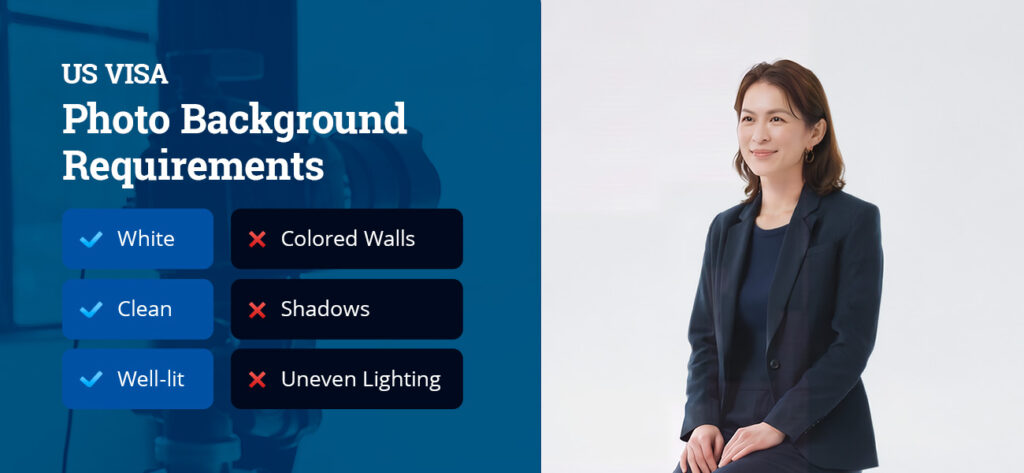
Your passport photo background should be white, clean and well-lit. Colored walls, gray walls that photograph with a color cast, shadows behind the subject, and uneven lighting on the background can all cause your photo to be rejected.
A few adjustments can prevent most background problems before you pick up the camera:
- Keep distance from the wall: Standing a bit away from the background helps prevent shadows from falling behind you, since proximity to the wall is what usually causes them.
- Improvise a plain backdrop: A white bedsheet draped over a wall or piece of furniture works well if a solid white wall isn’t available in your home.
- Watch your light source: Avoid backdrops near windows or lamps that cast directional shadows across the background. Test a few angles before settling on one.
For wheelchair users, it’s OK if part of a head support appears in the frame. Just include a note explaining it with your application.
Passport Photo Dimensions
If you’re sending a physical application, your printed passport photos must measure 2 by 2 inches (51 by 51 millimeters) overall, with your head measuring 1 to 1 3/8 inches (25 to 35 millimeters) from the bottom of your chin to the top of your head, not your hairline. Head and shoulders should be centered within the frame, though hair may extend past the edges without issue.
Head size and position are easy to get wrong. Standing too close to or far from the camera throws off the measurement, even when every other detail, like background and expression, is correct. A second set of eyes, whether a friend’s, a family member’s or a photo technician’s, can catch this kind of sizing issue before you submit your photo.
For an online submission, follow the State Department’s digital photo upload specifications:
- Format and ratio: Submit a square image between 600 by 600 and 1,200 by 1,200 pixels.
- File type: Accepted formats include JPEG, PNG, HEIC and HEIF.
- File size: Uploads must be between 54KB and 10MB.
Pose and Expression Requirements
The main thing to remember is that the photo must have a clear, accurate view of your face, free from anything that obscures your features or alters how you naturally look. You should have a neutral expression in your passport photo. Try a relaxed, natural look that keeps both eyes open and your irises and pupils clearly visible. If you want to smile, use a slight, closed-mouth smile with no teeth. Don’t squint, show teeth or make an exaggerated expression.
As long as your eyes and full face remain visible, you can wear your hair up, down, in a bun or in a ponytail. If you have bangs, keep them from covering your eyes or eyebrows in the photo. Beards are OK if they’re natural to your appearance rather than added for the photo.
To capture your most natural state, face the camera directly, without tilting or angling your head in any direction. Your ears don’t need to be visible.
Clothing and Accessories Guidelines

Wear a dark, solid-colored shirt for your passport photo. White or very light-colored tops tend to blend into the white background, making it harder to tell where your shoulders end and the backdrop begins. Busy patterns, graphics or logos can also distract from your face and are worth avoiding on photo day.
Eyeglasses aren’t allowed in U.S. passport photos. This includes everyday eyeglasses, sunglasses, tinted lenses and reading glasses. Resting glasses on top of your head isn’t an acceptable workaround. You can get a medical exception with a signed doctor’s statement, though frames still can’t cover your eyes or cast glare or shadows.
Hats and head coverings are also not allowed, but you can get a religious or medical exception with a signed statement. If you’re exempt, ensure your head covering or hat allows for a full, unshadowed view of your entire face. Other off-limit clothing and accessories include:
- Uniforms
- Camouflage clothing
- Headphones
- Earbuds
- Wireless hands-free devices
Minimal, natural-looking makeup tends to photograph best. Heavy contouring, bold or glossy lip color and fake eyelashes can all alter how your facial features are recognized, which matters for identity verification purposes. Jewelry and facial piercings are generally fine, as long as they don’t obscure your face or cast shadows across it.
Photo Resolution and Quality Standards
Take your passport photo in even, natural lighting that accurately reproduces your natural skin tone. A photo with a washed-out or overly warm color cast can be flagged for the same reason a shadowed background can, since both interfere with how clearly your features come through. Harsh shadows on the face, hot spots from flash and red eye can also cause a photo to fail.
The photo also needs to be high-resolution and free of blur, graininess, pixelation or visible printer marks. It must be in color, printed on matte or glossy photo paper and free of holes, creases or smudges. Photocopies and scans of printed originals aren’t accepted if you’re submitting a digital application.
Whether you’re submitting digital or physical photos, the same editing restrictions apply. You can’t use AI-generated or AI-edited images, apply filters, or retouch your photos even slightly.
Requirements for Photos of Children and Babies
Taking a usable passport photo of a baby or toddler can be difficult. The good news is that the rules are more lax for young children to make it possible. The child-specific requirements include:
- Background: A plain white or off-white sheet works well, and it can be draped over a car seat to support an infant’s head.
- No one else in frame: A parent’s hands, arms or face can’t appear anywhere in the photo, even if they’re providing support.
- Face and expression: The child should face the camera directly with a neutral expression. Their full face must be visible and free of pacifiers, toys or hands.
The one exception is that babies’ eyes don’t have to be fully open, since newborns commonly have partially closed eyes even when awake. Children older than 1 year should have their eyes fully open and clearly visible in the frame.
Getting a young child to look at the camera is often the hardest part, so it can help to have a second person stand just behind or beside the camera to catch their attention with a sound or a favorite toy. Taking several shots in a row, rather than aiming for one perfect frame, also makes it easier to find a usable photo afterward — even a brief moment of a neutral, forward-facing expression is enough.
Frequently Asked Questions About U.S. Passport Photo Requirements
We’ve answered the most common questions about the passport photo guidelines.
Can I smile in a passport photo?

Yes, a relaxed, closed-mouth smile is acceptable in a U.S. passport photo. What’s not allowed is a wide grin that shows teeth, squinting or any exaggerated expression that distorts your natural features. If you’re unsure if your smile would be considered too wide, opt for a neutral expression that keeps your face, irises and pupils clearly visible.
Can I wear glasses in a passport photo?
No, you can’t wear eyeglasses, sunglasses, tinted lenses or reading glasses in a passport photo, regardless of prescription strength or frame style. The only exception is a documented medical need, backed by a signed statement from a doctor confirming the glasses can’t be removed for the photo. Don’t rest your glasses on top of your head, wear them around your neck or clip them on your shirt. The frames still need to be completely out of the frame for the photo to be accepted.
How many passport photos do I need?
Most passport applications require just one color photo that meets the requirements. It can be smart to have an extra in case of a printing issue or a second application, such as for a child traveling separately or a family member applying at the same time. Many photo locations print two copies per set by default for this reason, so you’ll typically have a backup on hand without needing to ask.
How recent do passport photos need to be?
Passport photos need to be taken within the last six months, which helps ensure the photo still reflects your current appearance for identification purposes. A photo that’s older than that, even if it still looks like you and shows no visible changes, likely won’t be accepted by the State Department. If you’re applying well ahead of a trip, it’s worth timing your photo closer to your submission date rather than taking it too far in advance.
What should I do if my passport photo is rejected?
If your passport photo is rejected, review the requirements above and retake it as soon as possible to avoid further delay in your application. Rejected photos usually point to a specific, fixable issue, like background color, head size or an accessory that’s not allowed under the current guidelines. If a photo is rejected after you’ve already submitted your application, the State Department will typically notify you directly and request a new one, rather than requiring you to restart the entire process.
Can I take my own passport photo at home?
Yes, the State Department allows DIY photos, including those taken on a smartphone, as long as every requirement on background, head size, lighting and no digital edits, is met exactly. This is also where most mistakes happen, since it’s easy to misjudge distance, lighting or framing without a second opinion. Having your photo taken at a professional location can prevent any compliance issues that result in a rejected application.
Do passport and passport card photos have the same requirements?
Yes. Passport books and passport cards use the same photo specifications, including the same 2-by-2-inch size, background, lighting and expression rules. While the card is a different, wallet-sized document used mainly for land and sea travel to Canada, Mexico and the Caribbean, the photo requirements behind both documents don’t change.
Can I wear colored contact lenses in a passport photo?
No. Colored or decorative contact lenses that change your natural eye color aren’t allowed, since they can interfere with the biometric facial recognition systems used to verify identity. Clear prescription contacts that don’t alter your natural appearance are perfectly fine and won’t cause any issues with your photo.
Get Your Compliant Passport Photo at AAA Central Penn
Having your passport photo taken right the first time can help minimize unnecessary trip delays. Passport photo requirements can be hard to follow on your own, which is why you should have your photos taken by a professional.
AAA Central Penn takes compliant passport photos for both members and nonmembers that meet U.S. State Department requirements. If you’re planning an impromptu trip or have run into unexpected delays, we offer expedited passport application services. We also provide comprehensive travel insurance and help with broader travel planning.
Find a AAA Central Penn branch near you today to have one less thing to worry about before your trip.


